Best Monitor Arms for Home & Office Desks
Expert picks for every desk setup — from home offices to professional workstations. Updated monthly.
Top Monitor Arms Compared
ERGOTRON LX DESK MONITOR ARM
The Ergotron LX is one of the most widely used monitor arms for both home and professional offices. It offers a strong balance of build quality, adjustability, and compatibility with most standard desks and monitors.
- Supports most 24″–32″ monitors
- Smooth height, tilt, swivel, and rotation adjustments
- Works well with both sitting and standing desks
- Clamp and grommet mounts included
Trade-off:
Not designed for very heavy or oversized ultrawide monitors.
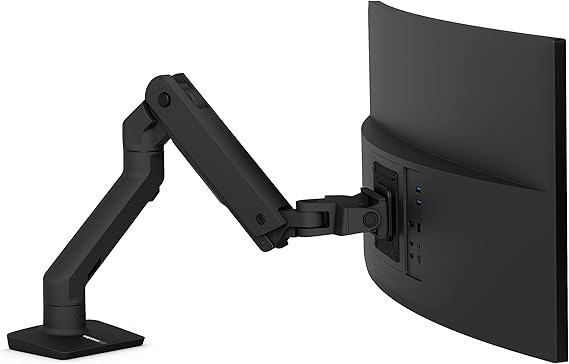
Ergotron HX Monitor Arm
The Ergotron HX is purpose-built for large, heavy, and curved ultrawide monitors that exceed the limits of standard monitor arms. It’s one of the few options that reliably supports 34″–49″ displays without sagging.
- Designed for heavy ultrawide monitors
- Reinforced joints for long-term stability
- Extended horizontal reach for deeper desks
- Built for frequent adjustments
Trade-off:
Higher cost and requires a sturdy desk surface.
Ergotron LX Dual Stacking Arm
This dual-monitor configuration is ideal for users running two similar-sized displays who want a clean, vertically adjustable setup without using two separate arms.
- Independent height and tilt adjustment
- Saves desk space compared to dual monitor stands
- Works best with matching monitor sizes
- Same build quality as the standard LX
Trade-off:
Less flexible for mismatched monitor sizes or weights.
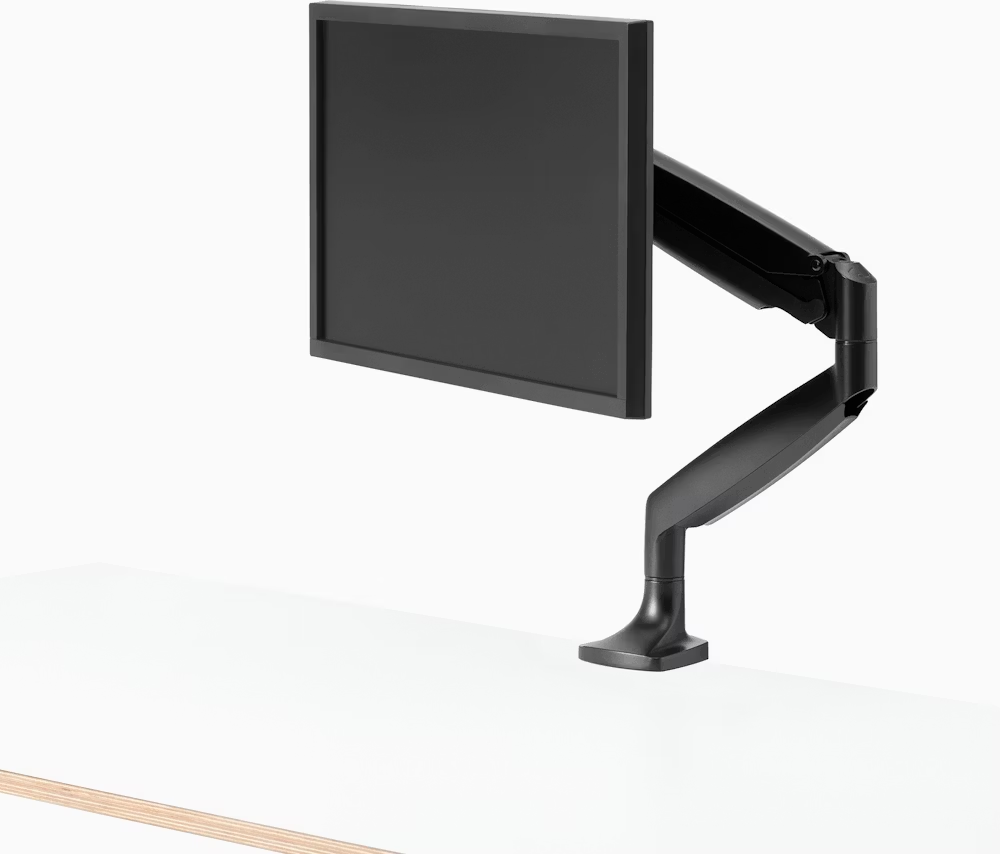
Fully Jarvis Monitor Arm
The Fully Jarvis Monitor Arm is a lighter, more compact option designed for home offices and smaller desks where clamp depth and space are limited.
- Smaller footprint than heavy-duty arms
- Easier installation on thinner desks
- Clean, minimal design
- Solid balance of price and performance
Trade-off:
Lower weight capacity than Ergotron models.
Mount-It! Single Monitor Arm
For lighter monitors or secondary setups, the Mount-It! Single Monitor Arm provides basic adjustability at a lower price point.
- Affordable entry-level option
- Supports lighter monitors
- Simple height and tilt adjustments
- Suitable for occasional repositioning
Trade-off:
Shorter warranty and limited range of motion.
| Monitor Arm | Best For | Max Monitor Weight | Mount Type | Arm Reach | Warranty | Price Range |
|---|---|---|---|---|---|---|
| Ergotron LX Desk Monitor Arm | Best overall for most setups | Up to ~25 lbs | Clamp / Grommet | ~20″ | 10 years | $$$ |
| Ergotron HX Monitor Arm | Ultrawide & heavy monitors (34″–49″) | Very heavy (with HD pivot) | Heavy-duty clamp | ~23″ | 10 years | $$$$ |
| Ergotron LX Dual Stacking Arm | Dual monitor configurations | Up to ~25 lbs per arm | Clamp / Grommet | ~20″ | 10 years | $$$$ |
| Fully Jarvis Monitor Arm | Small desks & lighter setups | Up to ~20 lbs | Clamp | ~19″ | 5 years | $$$ |
| Mount-It! Single Monitor Arm | Budget & secondary monitors | Up to ~13 lbs | Clamp | ~15″ | 1 year | $ |
Monitor Arm Comparison (Overview)
Match your monitor’s weight and your desk’s mounting options first — then use the picks below to choose the best arm for your setup.
How to Choose the Right Monitor Arm
1. Confirm Monitor Weight First
Before comparing features or prices, check your monitor’s weight without the stand. Choosing an arm that’s properly rated prevents sagging, drifting, or constant re-adjustment — the most common reasons buyers regret their purchase. If your monitor is near the upper limit, opting for a higher-capacity arm typically results in better long-term stability.
2. Match the Arm to Your Desk
Most monitor arms attach using either a clamp or a grommet mount, but not all desks accommodate both. Measure your desk thickness and check rear clearance before ordering to avoid compatibility issues. If your desk is thin or space is tight, choosing an arm designed for lighter setups can make installation much easier.
3. Think About How Often You Adjust
If you regularly raise, lower, or reposition your screen — especially with a standing desk — prioritize arms with greater vertical travel and smoother movement. These designs hold position better over time and reduce the need for repeated tightening. For fixed-height desks, simpler arms often provide all the adjustment you need without added complexity.
4. Single vs. Dual Monitor Setups
Dual monitor arms work best when both displays are similar in size and weight. Matching monitors helps keep alignment consistent and reduces uneven tension on the arm. If your monitors differ significantly, two single arms may offer better flexibility and long-term balance.
5. Account for Installation & Clearance
Some monitor arms require extra space behind the desk or additional tightening during setup. If your desk is close to a wall, look for arms with a shorter rear profile to avoid clearance issues. Spending a few minutes confirming installation requirements upfront can save time and frustration later.
FAQs
Do monitor arms work with standing desks?
Yes, but ensure the arm supports frequent vertical movement and the desk can handle clamp pressure.
What VESA sizes are supported?
Are monitor arms safe for glass desks?
Many manufacturers advise against clamping directly to glass desks unless a protective mounting plate is used.
How long do monitor arms typically last?
High-quality arms often last 5–10 years with regular adjustments.
Final Note
Monitor arms are functional upgrades. Prioritizing compatibility, weight capacity, and adjustability will prevent buying an arm that doesn’t work with your desk or monitor.
This page contains affiliate links. If you purchase through these links, we may earn a commission at no additional cost to you.